The Five Caption Checks That Cause Most Rejections

A caption file can look finished and still fail platform review in minutes. The timing may seem clean. The text may read well. The file may even pass a quick spellcheck. Then a delivery portal flags it for issues that feel small, but are not small to viewers.
Most rejected caption files fail on the same five checks:
Reading speed above the platform ceiling
Lines longer than 42 characters
Gaps between cues under the minimum
Cues shorter than half a second
Untranslated or romanised song lyrics
These checks are not there to make delivery harder. Platforms enforce them because captions are part of the viewing experience, not a text dump. They must be readable, timed, accessible, and consistent across devices.

Why caption checks matter before delivery
Caption rejection usually creates more work than the original fix would have taken. A failed file can delay a full title package, hold up localisation, or trigger repeated exchanges between the caption vendor, post team, and platform.
The frustrating part is that these faults are often mechanical. They are not about taste. A reviewer does not need to debate whether a line break feels elegant if the line runs past the character limit. A file either has a two-frame gap or it does not. A cue is either under the minimum duration or it is not.
That is why a proper pre-delivery check matters. It catches the predictable issues before the file reaches the platform.
Here is the broad purpose of each check:
Check | What it protects |
Reading speed | Gives viewers enough time to read |
Line length | Keeps captions legible on smaller screens |
Minimum gap | Prevents flicker and cue collisions |
Minimum duration | Stops captions from flashing too quickly |
Song lyric handling | Preserves meaning and meets accessibility rules |
Different platforms publish different technical specifications. Some express reading speed in characters per second. Some refer to words per minute. Some define cue gaps in frames, while others use milliseconds. The exact numbers may change by client, language, frame rate, and content type.
The principle stays the same: the file must serve the viewer first.
Reading speed above the platform ceiling
Reading speed measures how much text appears during the time a cue is on screen. If the caption shows too many words too quickly, viewers cannot read it without pausing or missing the picture.
A common formula is characters per second, often shortened to CPS. It looks at the number of characters in a cue and divides that by the cue duration. Spaces may or may not count, depending on the platform rules. Some workflows use words per minute instead.
A cue can fail reading speed even when the timing feels natural to the editor. For example, a speaker may deliver a long sentence quickly. If the caption tries to include every word in a short cue, the viewer gets overloaded.
A high reading speed is especially hard for:
Viewers watching on phones
People reading in a second language
Deaf and hard-of-hearing viewers who rely fully on the captions
Children or older viewers
Anyone watching a scene with important visual action
Platforms enforce reading speed limits because captions compete with the image. The viewer needs time to read the caption, watch faces, follow movement, and understand the scene.
What commonly causes this failure
Reading speed often fails when captions are too literal. Spoken language includes false starts, repeated words, filler, and unfinished phrases. If every sound is forced into the caption, the timing can break.
It also happens when a cue stays on screen for too short a time. Even a moderate amount of text can become too fast if the cue lasts only one second.
Another common cause is late spotting. If a caption starts after the speaker begins and ends before the thought finishes, the available reading time shrinks.
How to fix it without harming meaning
The best fix is not always to stretch the caption. It depends on the scene.
Good options include:
Edit out filler that does not change the meaning
Split a long cue into two readable cues
Extend the out-time if it does not collide with the next cue
Rephrase slightly for clarity, where the specification allows it
Combine very choppy cues when the gap rules allow it
The goal is not to make captions shorter for the sake of it. The goal is to keep the meaning complete while making the text readable at normal viewing speed.
Lines longer than 42 characters
Line length is one of the easiest checks to miss during manual review. A line may look fine on a wide monitor, but platforms must support many screens and apps. A caption that looks neat in editing software can wrap badly on a phone, television app, or set-top box.
The common limit in many workflows is 42 characters per line. That includes letters, punctuation, and often spaces, depending on the rule set. Some clients set a stricter limit. Some languages need different handling because words are longer, shorter, or spaced differently.
The limit exists because captions need a stable shape. If a line is too long, it may run too wide, wrap unexpectedly, or distract from the image.

Why 42 characters matters
A 42-character limit helps keep captions visually manageable. It also supports better line breaks. Viewers process captions faster when each line forms a sensible unit of meaning.
Compare these two line breaks:
Harder to read | Easier to read |
I never said we should leave the | I never said we should leave |
children alone in the station. | the children alone in the station. |
The second version keeps related words together. That matters because viewers read captions in quick glances. A poor break can force the eye to work harder.
Line length also affects subtitle position. If a line is too wide, it may cover more of the image than needed. In scenes with lower-third text, speaker IDs, or burnt-in graphics, that can create clutter.
What commonly causes this failure
Long line failures often come from automatic exports or rushed formatting. They also happen when the editor focuses only on cue timing and forgets visual shape.
Common causes include:
Long names or technical terms
Full sentences squeezed into one cue
Captions copied from a transcript without line breaking
Two speakers placed in one crowded cue
Lyrics or chants kept as long continuous lines
How to fix line length cleanly
The first step is to break the line at a natural point. Good breaks usually happen between phrases, not inside them.
Avoid breaks that separate:
An article from a noun, such as “the” and “house”
A preposition from its object, such as “in” and “the room”
A person’s title from their name
A verb from its object when the result feels awkward
If a cue still runs long after a good line break, the issue may not be formatting. It may need a split, edit, or timing change.
Gaps between cues under the minimum
A caption gap is the space between the end of one cue and the start of the next. If the gap is too small, the captions can appear to flicker. Some platforms also need a minimum gap for clean rendering across devices.
This check can feel overly technical, but it protects the viewer from visual noise. If captions pop off and back on almost instantly, the eye registers a flash rather than a clean transition.
Minimum gap rules vary. They may be defined in frames for broadcast-style work or milliseconds for streaming platforms. The required gap may also depend on frame rate.
Why platforms enforce cue gaps
Caption playback is not identical everywhere. Files pass through apps, devices, encoders, and players. A tiny gap that appears acceptable in one tool may render poorly somewhere else.
A proper gap helps with:
Clean caption changes
Reduced flicker
Better readability
Safer conversion between formats
More predictable playback on different devices
Gaps also help viewers understand that one thought has ended and another has begun. Captions are visual rhythm. If the rhythm is too jittery, comprehension drops.
What commonly causes this failure
Gap failures often appear after format conversion. A file edited in one frame rate may shift slightly when exported or converted. The change may be tiny, but enough to break a strict rule.
They also occur when editors try to follow rapid dialogue too closely. In fast exchanges, every cue gets placed tightly against the next one. The result may match speech, but fail the platform’s technical floor.
Another cause is snapping. If the software snaps cue boundaries to frames, small adjustments can accidentally remove the minimum gap.
How to fix tight gaps
A gap failure is usually fixed by adjusting timing, but the right move depends on the surrounding cues.
Possible fixes include:
Shorten the previous cue slightly
Delay the next cue slightly
Merge two cues if they belong together
Recut the text so the timing breathes
Check frame boundaries after conversion
The key is to review the scene after the fix. A technically valid gap should still feel natural. If the caption disappears too early or appears too late, the file may pass the machine and fail the viewer.
Cues shorter than half a second
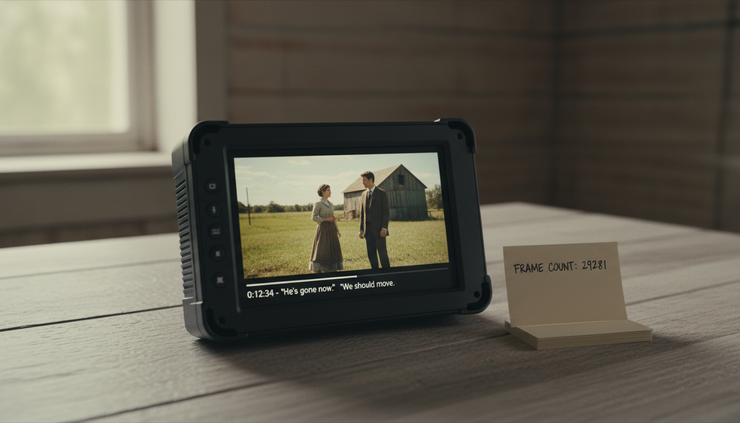
A cue shorter than half a second is almost always a problem. It may appear as a flash. Some viewers will not see it at all. Others may notice something appeared, but not have enough time to read it.
The half-second rule is a practical floor. Even a single word needs time to register. A cue that appears for less than 500 milliseconds asks the viewer to react faster than normal reading allows.
Short cues are especially common in dialogue-heavy scenes, reality content, comedy timing, trailers, recaps, and music programmes. They often appear when the caption editor tries to capture every small utterance.
Why very short cues fail
Captions are not only text. They are timed visual events. A very short cue can disturb the viewing experience because it draws attention without delivering information.
Platforms reject very short cues because they can:
Flash too quickly on screen
Fail to render on some players
Create accessibility problems
Make the subtitle track look unstable
Break conversion rules in downstream systems
Even if a cue contains only “No” or “Wait”, it still needs enough time to be read comfortably.
What commonly causes this failure
The most common cause is over-segmentation. Every small sound gets its own cue, even when it belongs with the next piece of speech.
For example:
Too short | Better |
No. | No, wait. |
Wait. |
Short cues can also appear when a cue is squeezed between two hard timing points, such as a shot change and the next speaker. If there is no room, the text may need to move, merge, or be edited.
Another cause is music or background speech. Editors may create a short cue for a brief lyric, shout, or off-screen line, then discover it does not meet duration rules.
How to fix cues under half a second
The cleanest fix is often to merge the short cue with a neighbouring cue, if it does not confuse speakers or timing. If the word belongs to the next phrase, combine it there. If it completes the previous thought, attach it there.
Other fixes include:
Extend the cue if the audio and shot allow it
Remove non-essential filler
Rework the segmentation
Use a concise paraphrase when allowed
Recheck reading speed after every timing change
That last point matters. Extending a cue can solve duration, but merging text can create a reading speed failure. Caption checks are connected. Fixing one problem can create another if the file is not reviewed as a whole.
Untranslated or romanised song lyrics
Song lyrics are one of the most common language-related reasons for rejection. The issue is not only whether the lyrics are present. It is whether they are treated according to the platform’s rules.
Some platforms require lyrics to be translated when they are audible and meaningful. Some require them only when they are plot-relevant. Some allow lyrics to remain in the original language in specific cases. Some prefer a descriptive caption such as `[upbeat song playing]` when the lyrics are indistinct or not cleared for transcription.
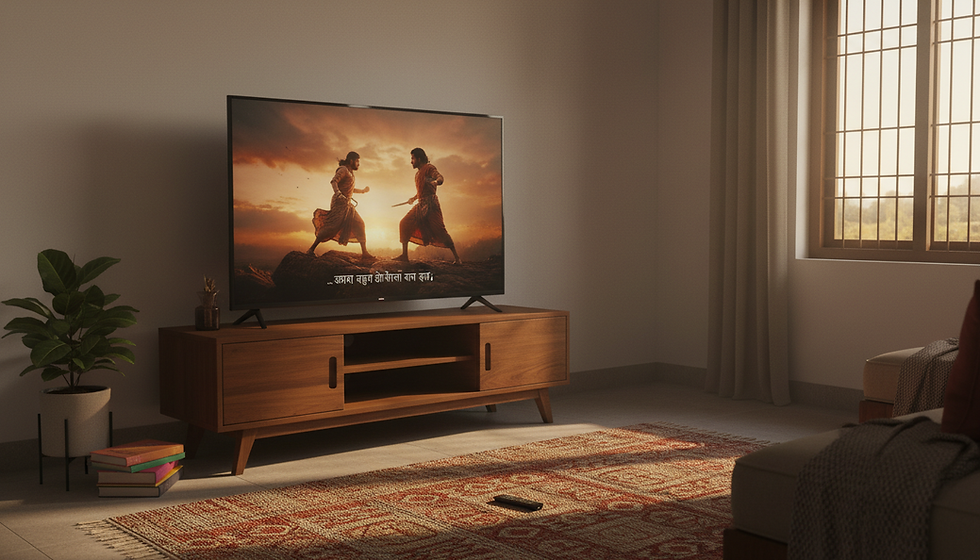
Romanised lyrics can be a problem when they replace translation. For example, writing Hindi lyrics in Latin letters may show the sound, but it may not give the meaning to a viewer who does not understand Hindi. The same issue applies to Tamil, Telugu, Bengali, Korean, Japanese, Arabic, or any other language written in a different script.
If the viewer needs the meaning, romanisation alone is not enough.
Why platforms care about lyrics
Lyrics can carry story, tone, humour, irony, or emotion. A song in the background may comment on the scene. A character may react to a lyric. A performance may be central to the plot.
If lyrics are left untranslated, some viewers lose part of the content. If they are romanised without meaning, the captions may look complete while still being inaccessible.
Platforms enforce lyric rules for three main reasons:
Accessibility
Consistency across language versions
Rights and editorial policy
Rights can be complex, so caption teams usually follow the client or platform specification rather than making their own judgement. If lyrics should not be transcribed, the file should still describe the audio in a useful way.
What commonly causes this failure
Lyric issues often come from source files. A template may contain romanised lyrics, and that text gets carried into translated versions. Reviewers may focus on dialogue and miss the songs.
This is common in Indian content because multilingual songs, code-switching, and regional language lyrics often appear within Hindi, English, or mixed-language programmes. A line may be easy for some viewers to understand and completely opaque to others.
Lyric issues also occur when songs are marked inconsistently. One verse may be translated, while the chorus stays romanised. Or the first line may be captioned, while repeated lines are skipped without a clear reason.
How to handle lyrics correctly
Start with the platform specification. Then check the purpose of the song in the scene.
If the lyric is clear and meaningful, translate it according to the rules. If it repeats, follow the platform’s repetition style. If it is indistinct, use a descriptive audio caption. If the lyric must remain in the original language, make sure that choice is allowed.
For romanised text, ask a simple question: does this help the intended viewer understand the meaning? If not, it probably needs translation or description.

How the five checks work together
These checks should not be run in isolation. A caption file is a system. Timing, text, line breaks, and language choices affect one another.
For example, fixing a reading speed issue by splitting a cue may create a minimum gap failure. Merging a short cue may push the line over 42 characters. Translating a lyric may increase the character count and break the reading speed ceiling.
That is why a good quality control pass follows a loop:
Check timing rules.
Check reading speed.
Check line length and line breaks.
Check language-specific requirements.
Watch back problem areas after fixes.
Automated checks are useful, but they are not enough. A tool can flag a line that has 45 characters. It cannot always tell whether the revised line break damages the meaning. It can identify a short cue. It cannot always decide whether to merge it with the previous or next idea.
The strongest files combine machine checks with human review.
What a clean pre-delivery pass should catch
Before delivery, every caption file should answer five simple questions.
Can viewers read each cue at normal speed?
Do all lines stay within the required character limit?
Do cue changes have enough space between them?
Does every cue stay on screen long enough to register?
Are songs translated, described, or handled according to the platform rules?
If the answer to any of these is no, the file is not ready. It may still play. It may even look acceptable in a quick scan. But it is likely to fail a stricter platform review.
Caption quality is built in small decisions: a few frames added, a line broken at the right phrase, a lyric translated instead of romanised, a short cue merged before it flashes past. These details are easy to overlook, but they are exactly where most rejections begin.
A file that passes these five checks is not just more likely to clear delivery. It is easier to read, kinder to viewers, and closer to what captions are meant to be: access to the full experience, timed with care.

Comments