How We Script Voice and Mix Audio Description to Fit the Silence

Audio description is not narration laid over a programme. It is a second track written to live inside the gaps that already exist.
That one difference changes the whole job. A describer rarely has the luxury of a long sentence. There may be only two seconds between a line of dialogue and the start of a sound effect. In that space, the script has to tell a blind or low-vision viewer what a sighted viewer has already understood from the frame.
A look. A gesture. A setting. A name on screen. A silent change in mood.
The work is not to explain everything. The work is to choose what matters, say it cleanly, and then get out of the way.
Here is a short walkthrough of how we script, voice, edit and mix an audio description track so it fits the silence without flattening the programme it supports.

We start by watching for story, not just visuals
The first pass is never about writing. It is about understanding the programme.
We watch the episode or film as a viewer would. We follow the story, the pace, the characters, the tone and the visual language. A comedy with rapid cuts needs different handling from a slow documentary. A crime drama may need tighter attention to silent clues. A children’s animation may need brighter, simpler phrasing.
Then we watch again with timecode and breaks in mind.
At this stage, we identify:
Where dialogue leaves room for description
Which visuals carry story information
Which actions are already clear through sound
Where on-screen text needs to be read
Where silence should remain silence
That last point matters. Silence is not empty space. It can carry tension, grief, surprise or relief. Filling every available gap can damage the scene.
If a character sits alone after bad news, the sound of the room may be doing half the work. The right audio description may be as short as:
She stares at the unopened letter.
That can be enough. A longer line about posture, lighting, facial expression and the furniture in the room may describe more, but it may also take attention away from the moment.
Good audio description starts with restraint.
We mark the gaps before we write the words
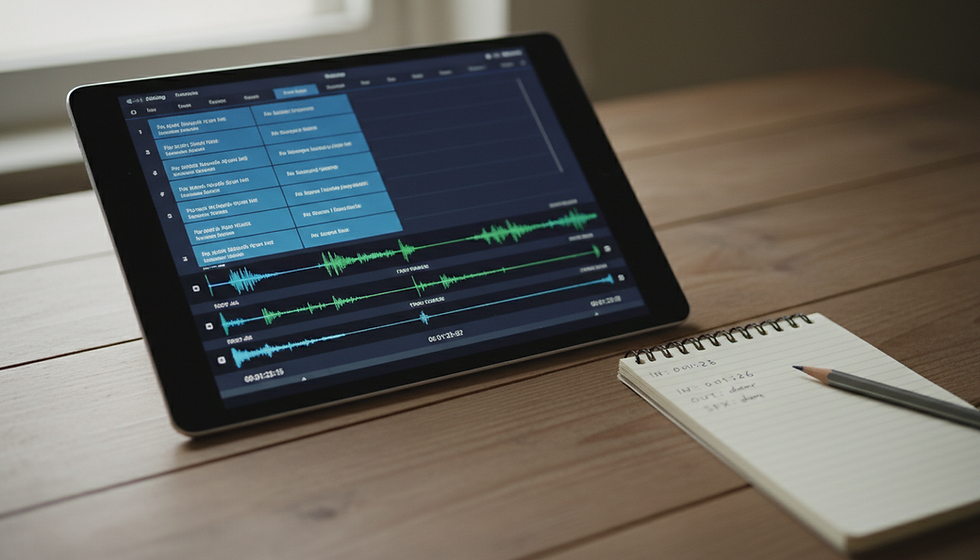
Once we understand the piece, we create a spotting pass. This is where we mark the available spaces for description.
A gap may look comfortable on paper, but sound different in playback. A line that fits in four seconds at reading speed may feel rushed when placed between dialogue and music. A short reaction shot may only allow two or three useful words.
We mark each cue with:
Start time
End time
Available duration
Related visual information
Any competing sound, such as music, crowd noise or effects
This gives the writer a physical limit. The script has to respect the timing before it can become elegant.
For example, a five-second gap can carry a complete sentence:
Ravi notices the broken watch in her hand.
A two-second gap needs a sharper choice:
He sees the watch.
A one-second gap may only allow:
The watch.
That may feel too blunt on the page. In the mix, it may be exactly right.
This is why audio description writing can look sparse to someone reading the script alone. The script is not built to stand as prose. It is built to land at the correct moment against picture, dialogue, music and performance.

We choose what the viewer needs now
A sighted viewer receives visual information all the time. Audio description cannot repeat all of it. It has to select.
The question is not, “What is on screen?” The better question is, “What does the viewer need to know at this moment to follow the story?”
That can include:
A new location
A character entrance or exit
A silent action that changes the scene
A facial expression that explains a reaction
A visual joke
A clue that matters later
Text on a phone, sign, letter or screen
A change in time, place or point of view
Some details are vivid but not useful. Others are tiny but vital.
If a detective enters a room containing ten objects, we may only describe the wet umbrella near the window, because that is the clue. If two people argue and one silently removes a wedding ring, that gesture matters more than the colour of the curtains.
We also avoid describing what sound has already made clear. If a door slams, there is rarely a need to say, “The door slams.” If footsteps approach, the sound may carry that action. The description can spend its time on something unseen in the soundscape:
Meera hides the envelope behind her back.
That line adds information instead of duplicating it.
Economy shapes every sentence
Audio description rewards plain language. Short words. Direct verbs. Clean sentence order.
A script line has to be understood on first hearing. The listener cannot glance back at the sentence. If a phrase is too ornate, too abstract or too late with the key information, it fails in the moment.
Compare these two lines:
With visible hesitation, he begins moving in the direction of the half-open doorway at the end of the corridor.
He hesitates, then walks to the half-open door.
The second line is shorter, clearer and easier to voice. It carries the same story information in fewer words.
We also try to place names early when it helps orientation:
Asha slips the key into her pocket.
This is clearer than:
The key slips into Asha’s pocket.
The second line briefly makes the key feel like the actor. Small choices like this matter when the listener has no time to untangle grammar.
A good AD sentence often has:
A clear subject
A strong verb
One visual idea
No decorative phrasing
No explanation unless the scene truly needs it
We also take care with tense. Most audio description uses present tense because the action is unfolding with the picture:
He opens the gate. She turns away. The train disappears into fog.
Present tense keeps the track close to the screen.
We respect dialogue and performance
The audio description track must never fight the original programme.
Dialogue gets priority. Songs, jokes, emotional pauses and important sound effects also need space. The describer’s voice enters between them, not over them, unless the production brief specifically allows overlap for unavoidable information.
When dialogue comes quickly, we make harder cuts. A line may lose an adjective. A full sentence may become a phrase. A description may move slightly earlier or later if the scene still makes sense.
For instance, if a character silently places poison in a cup, but dialogue resumes immediately, the AD line might need to land before the cup is lifted:
She tips powder into his tea.
That line must arrive early enough for the viewer to understand the danger, but not so early that it gives away a reveal before the sighted viewer gets it. Timing affects fairness.
Comedy is especially sensitive. If a visual gag needs description, the line should protect the punchline. Too much detail can kill the joke. Too early a cue can spoil it. Too late a cue can miss it.
This is where scripting becomes editing. We test the line against the scene, trim it, move it, and test again.

We define the voice before recording starts
Before a single episode is rendered, the client approves the audio description voice.
That approval is not a minor admin step. The voice becomes the viewer’s companion across the whole title, season or series. It has to suit the content and stay consistent.
For a tense drama, the voice may need calm control. For animation, it may need warmth and energy without becoming performative. For factual content, clarity may matter more than colour. The voice should support the programme, not compete with the actors.
A sample is usually prepared using a short section of approved script. The client can then review:
Tone
Pace
Pronunciation
Accent and language fit
Energy level
How the voice sits against the original audio
We also check names, places and terms before the full record. This is especially important for Indian names, regional words, historical references, food, festivals, titles and locations. Guessing pronunciation is risky. A small error repeated across episodes becomes distracting fast.
Once the voice is approved, we record with that sound in mind across the full programme. Consistency matters more than dramatic variety. The describer is not acting the scene. The describer is guiding access to it.
We record for clarity and timing
Recording an AD track is a precision job.
The voice artist reads to picture, timecode and cue points. They need to enter cleanly, deliver the line naturally, and clear the space before the next piece of dialogue or sound. A beautiful read that runs half a second too long may not survive the edit.
The director or producer listens for:
Natural pace
Correct emphasis
Clean pronunciation
Breath control
Match with the scene’s tone
Timing against cue points
Lines that feel too long when spoken
Sometimes the script changes during recording. A line that looked perfect may feel crowded. A word may trip the rhythm. A phrase may sound too bright for a serious moment.
For example:
He glances nervously at the locked cupboard.
This may become:
He eyes the locked cupboard.
The second version gives the voice artist more room. It also lands with more tension.
We keep these changes controlled. The goal is not to improvise freely, but to make the written track work as spoken audio.
We edit the track so it breathes
After recording, the editor cleans and shapes the voice track.
This means removing false starts, mouth clicks, awkward breaths, long pauses and unwanted noise. It also means tightening each cue so it fits the available space without sounding chopped.
The edit has to keep speech human. If every breath disappears, the track can feel artificial. If cuts are too harsh, the listener may feel the edit even if they do not know why.
We align each line to picture and sound. Some cues need frame-level care. A description of a character entering should not arrive after the character has already crossed the room. A reveal should not be described before it appears. Fast scenes often need several tiny timing choices to feel natural.
We also listen for continuity across the whole episode. Does the voice feel the same from start to finish? Do repeated names sound consistent? Does the energy rise or fall in a way that suits the programme?
Editing is where the track starts to disappear into the viewing experience.
We mix the AD voice into the programme
The mix decides whether the audio description feels comfortable.
The AD voice needs enough level to be understood, but not so much that it startles the listener or covers important sound. It should sit clearly above the original track when it speaks, then leave the programme untouched when it stops.
The mixer checks:
Voice level against dialogue
Music and effects under AD lines
Loudness consistency
Tonal match across cues
Clean starts and ends
Any masking from background sound
In some cases, gentle ducking helps. That means the programme audio lowers slightly under the AD voice, then returns. This must be subtle. Heavy ducking can make the mix pump, and it can damage music or atmosphere.
Some scenes need special care. Action sequences may have explosions, engines or crowd noise. A soft AD line can vanish in that sound. A louder line may feel intrusive. The answer is often a mix decision and a script decision together. Shorter words, cleaner timing and careful level setting all help.
The final track should feel stable. The listener should not keep adjusting volume between the programme and the description.

We review the whole track before delivery
Quality control is not just a file check. It is a full listening pass against the picture.
We check whether the audio description:
Fits the available silence
Avoids covering dialogue
Describes the right visual information
Matches the tone of the content
Uses approved pronunciations
Keeps names and details consistent
Sits cleanly in the final mix
Meets the delivery format required by the platform or client
We also look for writing issues that only appear in context. A line may be accurate but unnecessary. Another may be clear but too late. A third may describe a visual detail that the next line of dialogue makes obvious.
The best QC question is simple: Does this help the viewer follow the programme without drawing attention to the track itself?
If yes, the AD is doing its job.
The aim is access with a light touch
Audio description gives blind and low-vision viewers access to visual storytelling, but it works best when it respects the craft already on screen. It does not replace the film. It does not explain the scene from outside. It enters the available silence with just enough information, then lets the programme continue.
That is why the process is so careful. We spot the gaps. We write with economy. We secure voice approval before rendering. We record for timing. We edit for flow. We mix for clarity. Then we check the whole track as a viewing experience, not just a technical deliverable.
The real success of an AD track is quiet. The viewer follows the story, catches the silent clue, understands the gesture, reads the text on screen, and stays inside the world of the programme. The silence remains part of the scene. The description simply makes that silence accessible.

Comments